How to Fight Ticket Chargebacks and Prove Event Attendance
The show happened. Your team checked tickets at the door. Weeks later, a payment is disputed. How do you show the bank what was purchased, which tickets were used, and why the charge should stand?
To fight an event ticket chargeback, build a documented connection between the disputed transaction, the tickets issued for that purchase, and the service actually provided. A successful admission scan is useful evidence of ticket use. Match it to the invoice and explain how it addresses the buyer's specific claim.
The distinction matters: proving that a ticket was redeemed is different from proving that the cardholder personally attended or authorized the payment. A useful response makes the strongest statement the records support, then supplies the evidence behind it.
Start with the chargeback reason, not a generic letter
Read the dispute notice before collecting attachments. Record the reason code and description, disputed amount, transaction reference, response deadline, and submission requirements. A claim that tickets were never received needs a different answer from an unauthorized-payment claim or a refund that allegedly never arrived.
Mastercard advises merchants to provide evidence that directly addresses the dispute reason and to meet the deadline supplied by their acquirer. Use the instructions in your actual notice rather than assuming every event ticket dispute follows the same timetable. Read Mastercard's merchant chargeback guidance.
Check whether the claim is valid. An event cancellation, an unfulfilled refund, or a genuine billing error may call for accepting the dispute or another resolution through your processor. Contesting every case automatically can waste time and produce an inaccurate response.
How can I prove someone attended my event?
Your most useful starting point is a successful admission record for a specific ticket linked to the disputed purchase. Build a clear chain:
- Identify the purchase. Show the invoice number, purchase date, amount, buyer information, and payment reference that match the dispute.
- Identify the tickets. Connect each ticket identifier to that invoice and the correct event or performance. Include the ticket type and assigned seat when relevant.
- Document admission. Provide the recorded successful entry time, event date, and time zone. Distinguish an accepted admission from an invalid, duplicate, or rejected scan.
- Explain the connection. Tell the reviewer which records belong together and what they demonstrate. Do not expect the reviewer to infer the relationship from unrelated screenshots.
A QR code printed on a ticket shows that a ticket was issued. It does not show that the ticket was used. Likewise, an attempt to scan a code is not necessarily an accepted admission. Use the recorded admission result and its context.
Ticketor's phone ticket-scanning guide explains how Gate Control validates tickets for the selected performance. For dispute preparation, the important connection is between that ticket's purchase record and its recorded entry.
Does a ticket scan prove the cardholder was there?
A ticket scan supports the statement that the ticket was presented and admitted. By itself, it does not establish the identity of the person carrying it. One buyer may purchase tickets for a group, give a ticket to a friend, or arrange for someone else to attend.
If you also have a genuine attendee acknowledgment, named check-in record, or relevant customer message, explain how it connects the attendee to the purchase. Describe only the identity checks your team actually performed. Do not claim that a QR scan included an ID check if it did not.
For an unauthorized-payment dispute, add the relevant authorization or authentication evidence available from your processor. Attendance alone does not answer whether the legitimate cardholder approved the purchase.
What if the ticket was never scanned?
Investigate before drawing a conclusion. The guest may not have attended, staff may have admitted someone manually, or a record may be missing. If you have a contemporaneous manual admission record, include it and explain the process honestly. An invoice, an issued ticket, or an event photograph without a reliable link to that purchase cannot fill in a missing admission record.
You may still have evidence relevant to the dispute: delivery records, correspondence, the event description, or the terms presented at purchase. State what those records show without inventing attendance.
Choose evidence that answers the buyer's claim
The same invoice can produce very different disputes. These are useful starting points; your processor's specific evidence requirements still apply.
“I never received my tickets” or “the service was not provided”
Connect the order to ticket fulfillment and, where applicable, admission. Include the confirmation, actual tickets, available delivery records, and successful entry records. If the complaint concerns whether the event happened, document the event or performance delivered as well.
A generated confirmation is a purchase record; it is not proof that an email reached an inbox or was opened. A successful admission record may help establish that the purchased admission was used, but explain that connection rather than calling ticket issuance proof of delivery.
“I did not authorize this payment”
Focus on authorization evidence: relevant processor authentication results, transaction details, and reliable records connecting the purchase to the cardholder. Include ticket use as supporting context where relevant, while keeping it distinct from identity.
Previous purchases can add useful context. They do not automatically satisfy a card network's special evidence program. Similarly, an account's sign-up IP address is not necessarily the IP address used for the disputed payment. Label each record accurately.
“I cancelled” or “my refund was not processed”
Show the cancellation request, its timing, your response, and the policy applicable when the tickets were bought. If a refund was issued, include the actual refund amount, date, and processor reference. Follow your processor's instructions before attempting another refund on a disputed transaction.
A policy copied from today's website does not establish which terms the buyer saw months ago. Preserve the relevant policy as sold and evidence of how it was disclosed. A “no refunds” sentence does not answer every cancellation, authorization, or service complaint.
“I was charged twice”
Compare the transactions directly. If they purchased separate orders, identify each order's tickets, amount, and payment reference. If there was a duplicate charge, acknowledge the error rather than using unrelated attendance records to argue against it.
“The event was not as described”
Address the specific difference alleged. Include the event description at purchase, material change notices, relevant communications, and evidence of what was provided. Admission establishes use of a ticket; it does not, by itself, resolve a complaint about a cancelled headline act, changed date, or other promised service.
A sample attendance-based chargeback response
Fictional example: a buyer disputes a $120 purchase on the basis that event admission was not provided. The organizer has records for two successfully admitted tickets. A concise response could say:
“We request reversal of this dispute because the admission purchased under invoice 10482 was provided. The invoice records a $120 purchase for two tickets to the October 10, 2026 performance of Harbor Lights Live. Tickets T-501 and T-502 are linked to that invoice. Our admission records show successful entry at 7:12 p.m. and 7:13 p.m. Pacific Daylight Time on October 10. Exhibit 1 identifies the purchase and payment; Exhibit 2 connects the two tickets to the invoice; Exhibit 3 documents their admission. These records support that the purchased tickets were redeemed for the scheduled performance.”
This wording makes a claim about the tickets supported by the records. It does not add an unsupported claim that the cardholder personally attended. Use your real facts, match the actual dispute reason, and remove any statement you cannot document.
Prepare a clear response with Ticketor
Collecting the records is often harder than writing the opening paragraph. Ticketor's one-click chargeback response workflow brings invoice and ticket information into a response so you can concentrate on the disputed facts.
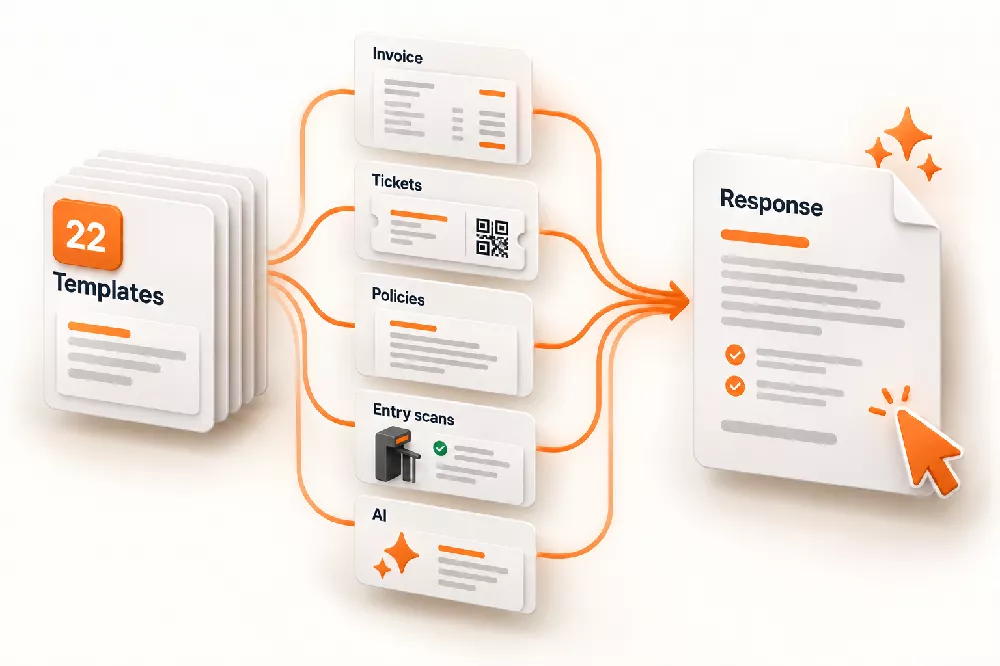
22 professional templates, organized by dispute code and scenario
Start with one of 22 professionally written response templates. Their names identify dispute codes or related scenarios, helping you choose a suitable starting point instead of adapting a generic chargeback letter to every case.
Open the disputed invoice and choose Invoice Actions > Prepare Charge-Back Response. Select the appropriate template and click Generate Response.
Depending on the selected template and available records, Ticketor fills the response with:
- Buyer, invoice, and payment information, purchased items, and the order confirmation.
- The actual tickets, connecting the purchase to the admission documents.
- Recorded ticket admission times, supporting the explanation of ticket use where entry was recorded.
- Return policies and relevant prior purchases, when available and included in the template.
Review those records in context. Confirm that a policy included in the response matches the terms applicable to this purchase. Add historical disclosure evidence, processor records, correspondence, or other documents needed for the particular claim. An automatically populated field cannot establish a fact the underlying record does not contain.
AI-assisted preparation from the dispute notice and your evidence
Where AI preparation is enabled, paste the dispute notice and explain what happened, including the evidence you have. AI chooses the best matching system template, fills it with the buyer and invoice records, and fine-tunes the narrative around your explanation. It flags missing case details for you to complete.
Read every statement before submission. AI helps prepare the response; it does not independently verify an organizer's account, create missing proof, or guarantee the bank's decision.
Review, export, and try it on three invoices
Edit the response, print or save it as PDF from the editor, or download it as Word. Submit the response and supporting files through the method specified by your payment processor. Preparing a document in Ticketor does not submit the dispute for you.
Companies on eligible plans can try response preparation on three distinct invoices without purchasing the Advanced Fraud Protection & Chargeback Response package. You can keep revising responses for those three invoices. Add the package for additional invoices and continued access to the reusable template editor after the trial.
Before you submit the evidence
Give the reviewer a short explanation followed by clearly labeled supporting records. Keep the argument focused on the claim rather than attaching every piece of information you hold about the customer.
- Check the match. Confirm the transaction, disputed amount, invoice, event, and ticket identifiers agree across the response and exhibits.
- Make the timeline understandable. Distinguish purchase, event, admission, cancellation, and refund dates. Include the time zone for admission times.
- Attach readable evidence. Include the actual relevant records in the permitted format. Do not rely on a reviewer signing in to your ticketing account or following a link to your policy.
- Protect unrelated information. Follow your processor's requirements for masking sensitive payment and personal data. Keep the original records securely.
- Remove unsupported assertions. Replace assumptions about identity, delivery, attendance, or customer intent with precise descriptions of the evidence.
Stripe's evidence guidance emphasizes relevant, concise submissions and readable supporting files. Its file requirements are processor-specific, so check your own submission form before uploading. See Stripe's dispute evidence best practices.
Keep better records before the next event
Make accepted ticket validation part of normal admission, including the correct performance and clear handling of manual exceptions. Keep scanning devices connected when relying on shared online admission records. If you plan offline validation, follow Ticketor's setup instructions and account for its synchronization limitations.
Archive the event description and purchase policies, document material changes, and retain relevant customer communications and refund records. Make your billing descriptor recognizable and review the fraud-prevention settings available with your payment processor.
A response is easier to prepare when the records already tell a consistent story: this purchase issued these tickets, these were the terms, and this is what happened next.
Explore Ticketor's chargeback response and fraud-prevention tools and prepare your next response from the invoice.
Guidance and linked sources checked October 16, 2026. Requirements and outcomes depend on the dispute, card network, and payment processor. No response template or attendance record guarantees a reversal.
